

Previewing Course Information Page
You can preview the ACEweb Course Status page for a specific course in your web browser. To do so, you must first enter the ACEweb URL into the AW URL setting in tab. Note: this will be the same value you have in the ACEwebURL INI setting.
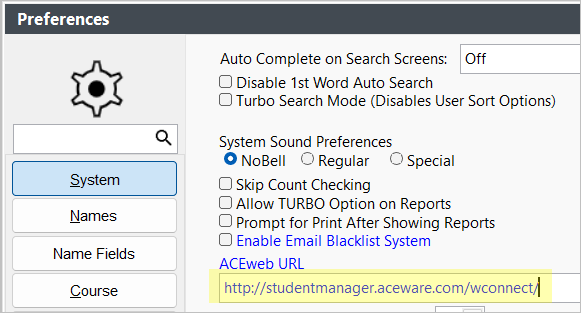
To preview the course status page:
- Open the course record and select the ACEweb Info tab.
- If you want to preview the course on an alternate interface, change to the appropriate interface in the on dropdown.
- Click the Preview ACEweb Course Status link.

IMPORTANT
The Preview ACEweb Course Status Page option ignores the ACEweb Publish Property value and should NOT be sent to customers.
If you want to send the link to a customer, you should use the Copy Link to Course Status Page option instead.