View Payment History
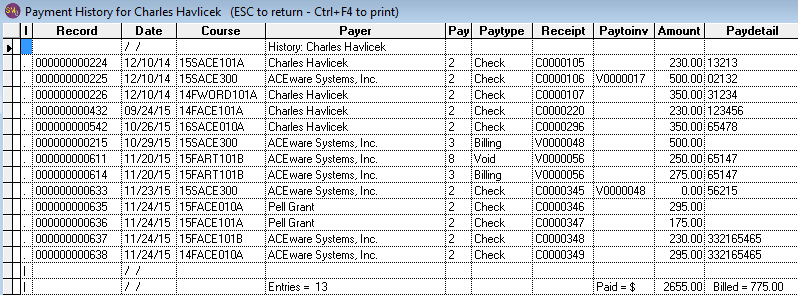
View an individual's payment history by pressing ALT+F9 from the Name screen or the Registration screen.
See at a glance, the course, payment dates, pay type, receipt number, and amount paid. You'll also be given the opportunity to print the history when you close the window.