

Waitlisting
A waitlist is a list of students waiting for open seats in a full course. You can add students to a waitlist when the course is full then move them from the waitlist to enrolled status if a seat becomes available.
Waitlist a Registration
- Look up the registration record you want to waitlist.
- When the Registration screen opens, check the Waitlist box.
- Click the Save Changes button.
IMPORTANT
- While the appropriate Main fee is selected and any Mandatory fees added, the Total Due will be 0.00 while it is marked as a waitlisted registration.
- Waitlisted registrations are not added to the Enrollment count. There is a separate count on the course record called Waiting.
- Waitlisted students will not appear on Rosters unless you select the option to show them.
- Waitlisted registrations cannot be grouped with valid registrations, unless you have the Allow Waitlisted to be Grouped preference enabled (on Register Preferences).
- Waitlisted registrations are not included on printed receipts.
- Waitlisted registrations are not included in emailed receipts, unless you have the Allow Waitlisted to be Grouped preference enabled (on Register Preferences).
- Since waitlisted students are not assessed fees, they cannot pay for a waitlisted registration online.
View Waitlist
To see who is on a waitlist, open the course record then click the Waitlist button.
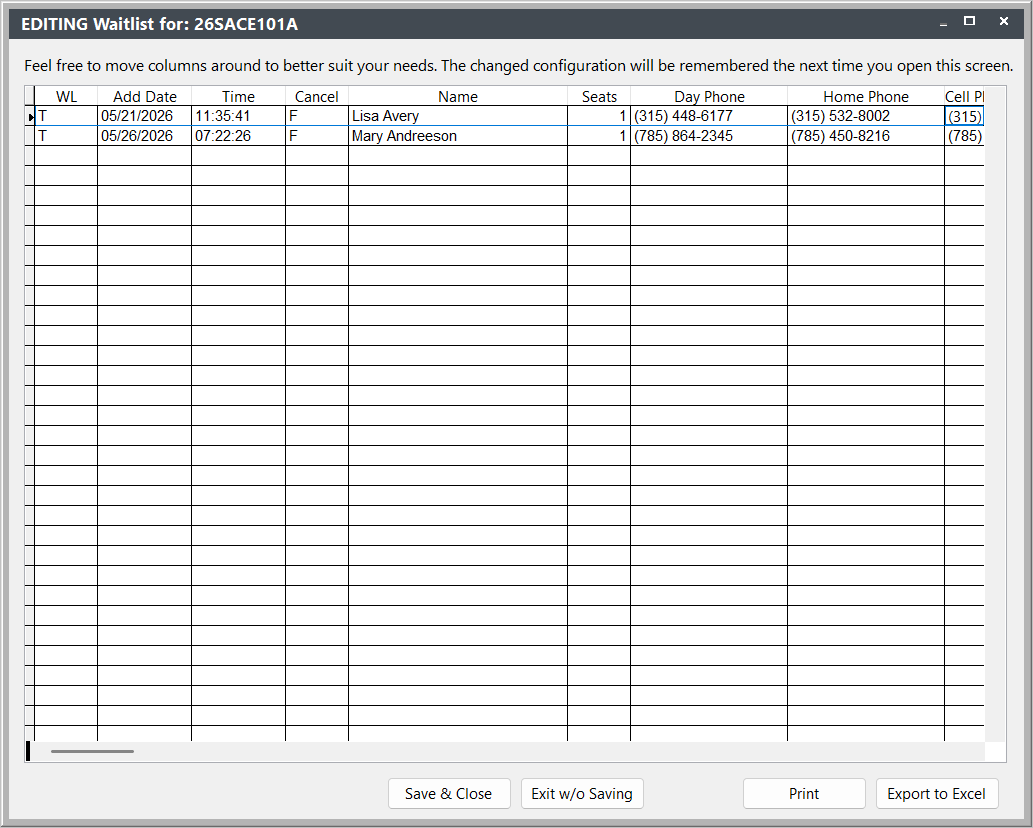
Waitlist Report
You can run a waitlist list report for a single course or multiple courses.
Single Course
- Open the Course Record.
- Click the Quick Reports button to open the Quick Reports screen.
- Select the Name Roster, Additional Reports and Show Only Waitlist (Roster) options.
- Select the Waitlisted Students report from the Additional Reports list. (if you don't have a copy of this report, contact your ACEware technician)
The report list the students in the order in which they were added to the waitlist.
Multiple Courses
Waitlists for multiple courses can be accessed from .
The report lists the waitlist for each course in your query, with students listed in the order in which they were added to the waitlist.
Email Waitlist
You can email everyone on a waitlist from course Quick Reports, with the Email Waitlisted button.
Move Student from Waitlist
To move a registrant from the Waitlist when a seat becomes available:
- Open the registration record.
- Uncheck the Waitlist box.
- Click the Save Changes button.
When you save the registration, the system resets the Total Due.
Registrations in the same Course Sections
If a student is waitlisted on several sections of the same course (determined by the course's Catalog code), when you move the student from the waitlist, the other waitlisted registrations are cancelled.
Canceling a Registration in a Course with a Waitlist
If you cancel a registration in a course with a waitlist, you will be asked if you want to view the Waitlist.
Clicking the Show Waitlist button, brings up the Editing Waitlist for: [coursecode] screen. To move someone off the Waitlist:
- Change the T in the WL column to F.
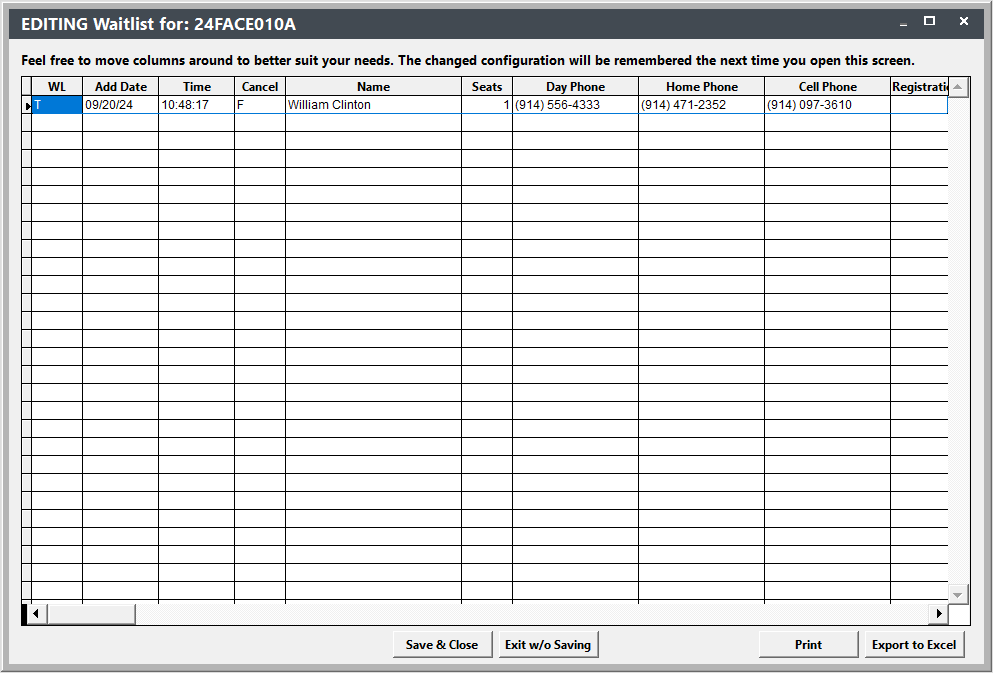
- Click the Save & Close button.
Purge Waitlists
You can purge waitlists from the Mass Change/Update/Delete/Archive screen.
Transfer Waitlist
You can transfer everyone on a course Waitlist to another active course with the Mass Registration Transfer tool.