

Registration Fields Preferences
Enable/disable registratrion screen fields.
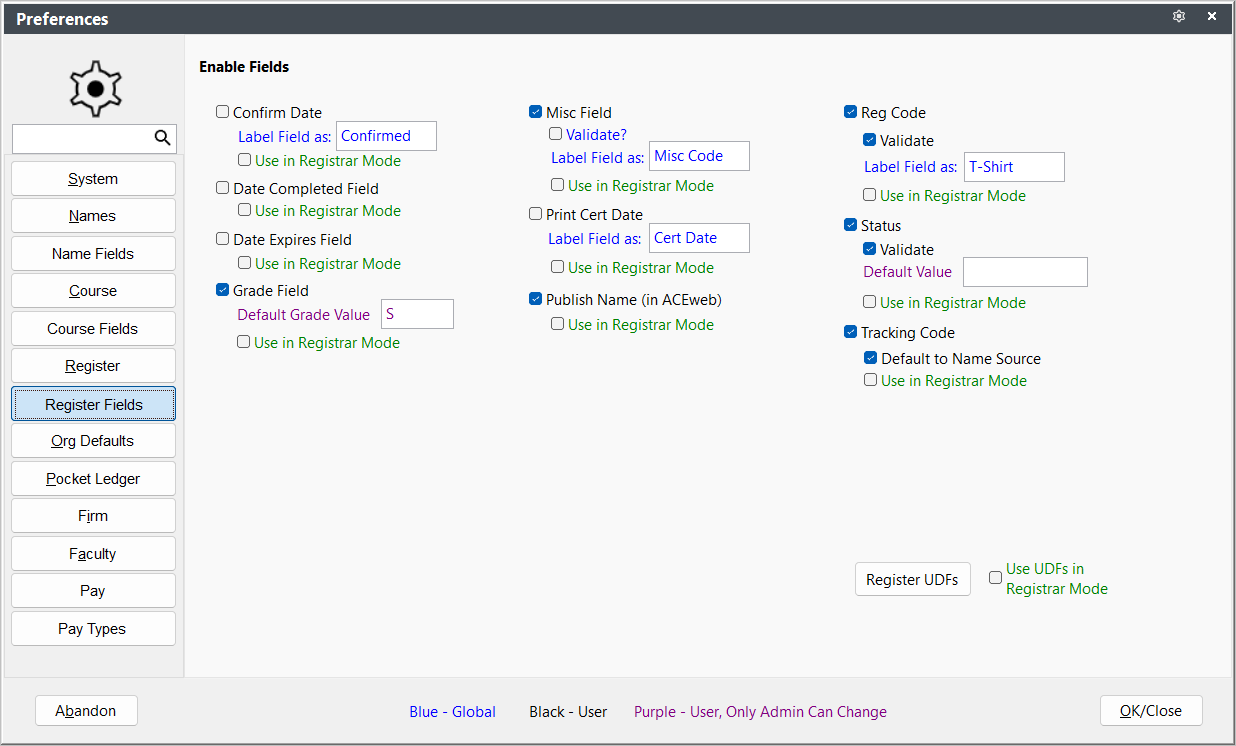
- Default to Name Source (Tracking Code) - if checked, when individual is registered in a course, the system will available auto enter whatever tracking code has been entered into the Name record.
- Default Grade Value - if using the Grade field, you can enter a default grade value that will be assigned to the registrant when he/she registers in the course.
- Label Field As - enable and label these fields as desired.
- Use in Registrar Mode - if you are using the Registrar Only mode, determine which fields are used in Registrar mode.
- Validate? (Reg Code, Reg Status, and Rgmisc Field) - enable validation for these fields.