

Mass Change Faculty Fields
You can mass change/update faculty information with the Mass Faculty Field Update tool. Note: you can only assign active instructors to courses.
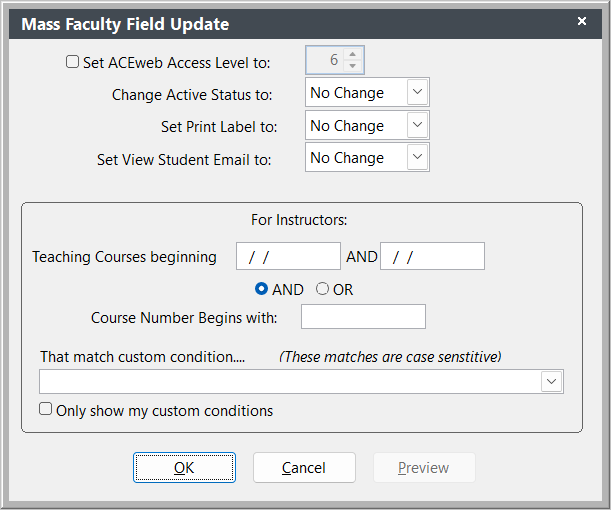
To run Mass Faculty Field Update:
- Select .
- Select the action you want to perform (e.g. activate instructors, set print label).
- Enter the course criteria.
- If you are inactivating instructors (set Change Active Status to to Inactive), you can exclude instructors teaching newer courses by checking the Exclude if teaching newer box.
- Click the OK button to make the change. You'll see a message in the upper right of the Student Manager screen telling you how many records were updated: