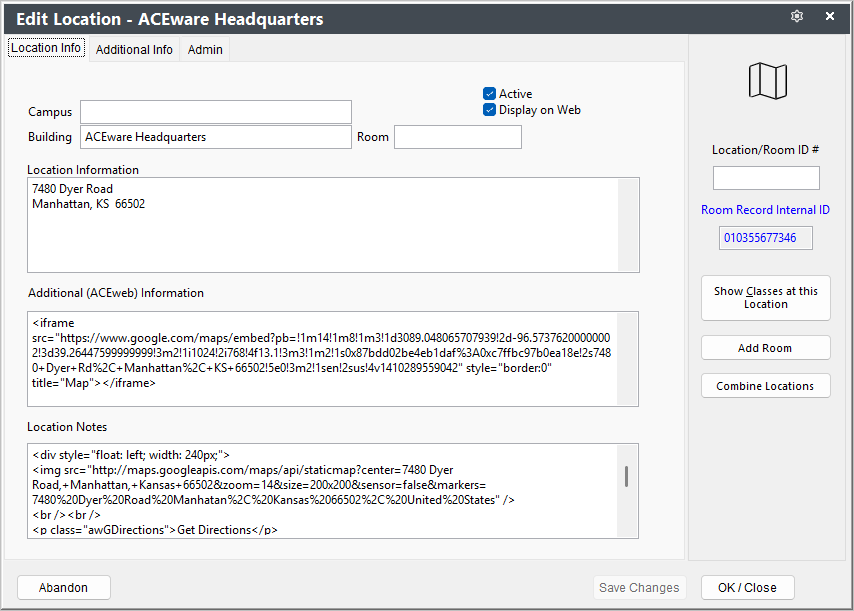
Location Screen
The Locations screen holds all the information related to the locations at which your courses are scheduled.
The Location screen consists of 2 tabs:
- Location Info - has building, information that can be included in receipts, Additional (ACEweb) Information that can be formatted for web display, etc.
- Additional Info - address information.
- Admin - routines only available to administrators such as deleting the location.
The Location field can be split into Building and Room if the Split location Field option is enabled in Course Preferences.
A Location record must exist in the Locations database before it can be assigned to a course. Add/edit locations from the menu.
Mouse over field for Field Name. Go to Data Structures to see more field information.