

Student Manager Screen Options
By default, the size and text size of Student Manager screens such as search windows, Names screen, Course screen, etc. will use the Size you set on the Quick Launch Settings.
You can adjust the size on individual screens by selecting the icon in the screen header then selecting a size option.
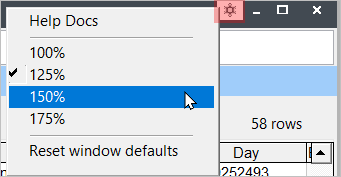
- Help Docs - open the Help Docs page for the selected screen in your browser (e.g. Names Help Docs page if you have the Names screen selected).
- Size - select a different size (screen and text) for the open screen.
- Reset window defaults - reset screen position and size, and text size to the defaults.