

Characters Used in Codes
You CAN ONLY USE the following characters in Student Manager code fields:
- Letters
ABCabc - Numbers
123 - Hyphens
- - Undescores
\_ - Periods
.
Unless otherwise specified, you CANNOT USE these characters:
- Spaces in codes
COM 123 - Symbols
,;:?!-/\&#~@$%^+=<>'"|(){}
The above rules ALSO APPLY TO Grouping Code Descriptions and Location/Building Names.
Exceptions
You may use spaces in these Codes:
- Coordinator.
- Department - no code field--enter your department into the Description field.
- Main Fees - no code field--enter your fee name into the Description field.
- Additional/Optional Fees - no description field--enter your fee name into the Code field.
- Registration (OTF) Adjustment Fees - no description field--enter your fee name into the Code field.
- Refund Wizard Fee Names - no description field--enter your fee name into the Code field.
You may use apostrophes ' in theses codes:
- Location/Building names, e.g. Chuck's Cabin.
- Location Campus field.
Code Descriptions
You CAN USE the Description field to more fully describe the specific code:
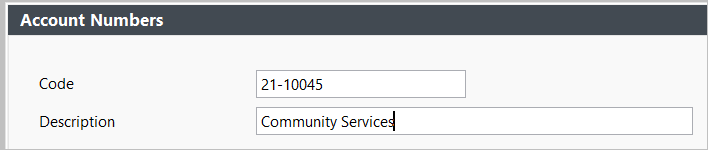
The description shows in the Code list, so the user will be able to tell what a specific code means:
