

Select Email Sender
When sending emails, you can select the Sender:
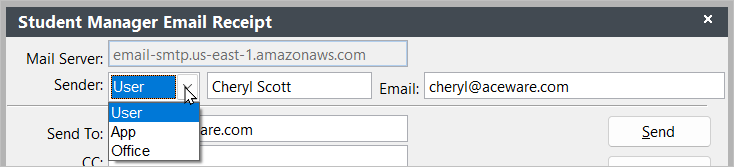
There are 3 Sender options.
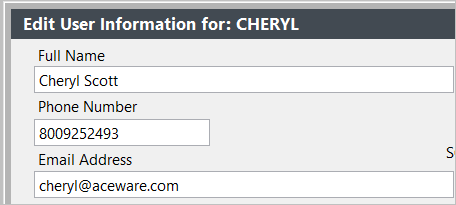
User
Users the name and email address from your Student Manager user record.
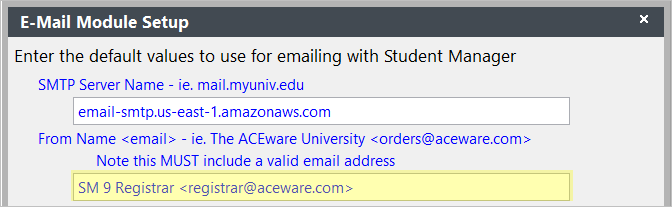
App
Uses the name and email address from .
Notes
- If you don't have an address entered into the From Name field, the App option will not be included in the drop down.
- If you have the Always use this E-mail address when sending registration confirmations. box checked, the default when emailing receipts will be App.
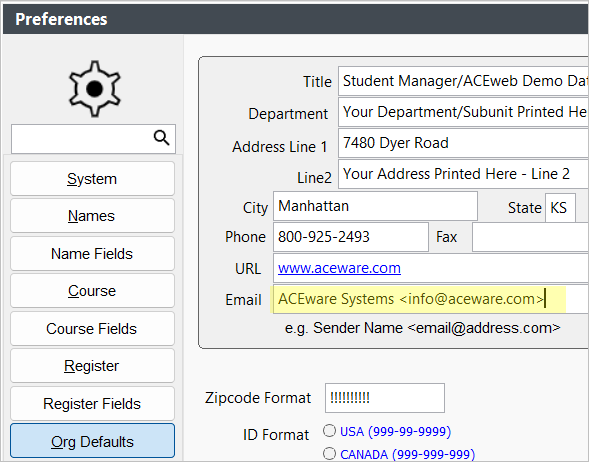
Office
Uses the new Email value set on .
This is a great option if you have multiple offices using Student Manager. Each user can set the Office name and email to use as the sender.
Notes
- The Office option will not be included in the drop down if you don't have the Sender Name/Email set up in your Organization Defaults.