

Reserve Seats for a Firm
To reserve additional seats for a firm in a course:
- Add a registration.
- Enter the number of seats in the Quantity field.
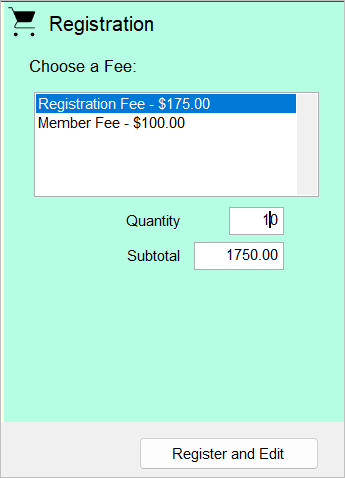
When you receive the list of other employees who will be taking the class, you can transfer the seats to the employees.
Notes
- The employees must have a Name record created.
- Reserving seats is not supported for Workshop type courses (i.e. you can reserve multiple seats in the course but not in the workshops).
Transfer Seats
- Open the Registration record.
- Click the Transfer button.
- Click the Student button.
- Select the appropriate individual from the Select Registrant window.
- On the Add Registration window, click the Transfer Registration button.
- The Transfer Wizard screen opens. Enter a 1 in the Transfer registrations field.
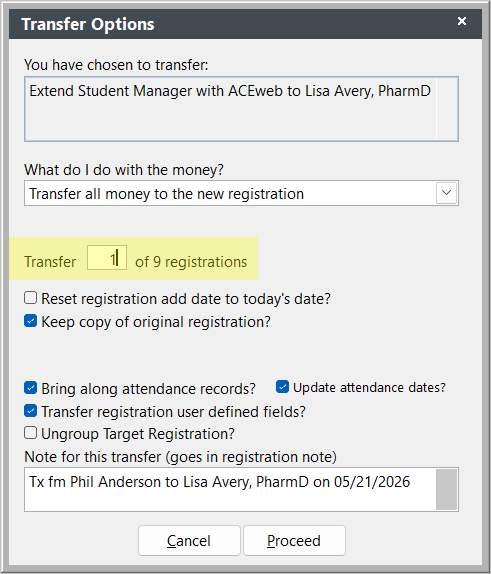
- Click the Proceed button.
The transfer will be completed and you'll be returned to the new registration record with the original registration and the new one grouped together.