

HTML Editor
You can use the HTML Editor to apply HTML formatting to the course Note (May be printed on receipt) field.
Using the HTML Editor
Open the course record and select the Comments tab.
Click the HTML Editor button above the Note (May be printed on receipt) field.
In the HTML Editor window, highlight the text and click the appropriate button to format it (e.g. click the B button to bold the text).
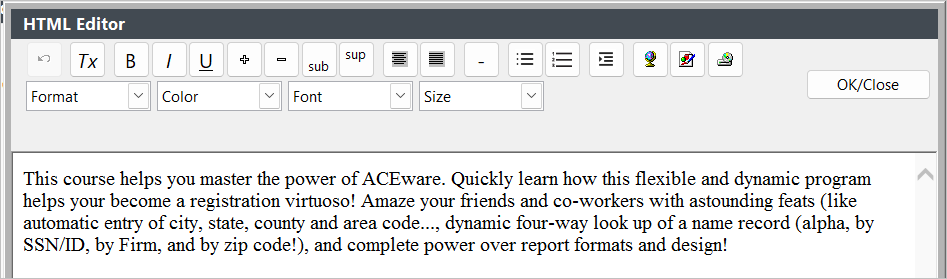
- Click the OK/Close button to update the HTML formatted text.
- You will be asked to place the generated HTML code into the field. Click Yes.
- The field is now updated with the HTML formatted text.
- Click the Save Changes button to save your changes.
Using HTML in Course Notes
The HTML will also show in printed reports (such as receipts or course details). You can use the StripHTML function onreports to strip out the HTML and leave on ly the text of your note.